What is a Kanban board?
A Kanban board shows work as cards that move through columns, from "To do" to "Done". This guide explains where the idea comes from, what Kanban actually is, and how it relates to Scrum.
What does "Kanban" mean?
Kanban (かんばん) is Japanese for "signboard". Originally it is a scheduling system for lean, just-in-time manufacturing: a card signals that a part has been used up and needs to be replenished, so that consumption pulls new production instead of work being pushed onto the next step [1].
Where does it come from?
Kanban was developed by Taiichi Ohno, an industrial engineer at Toyota. In the late 1940s Toyota began studying supermarkets, where customers take what they need, when they need it, and shelves are refilled to match. Toyota came to treat every process as the customer of the process before it, and in 1953 applied the approach in the machine shop of its main plant [1]. Sources differ slightly on exact dates, so treat the years as approximate.
From the factory to software teams
David J. Anderson carried the idea over to knowledge work. His approach grew out of a 2004 project at Microsoft and a 2006 to 2007 project at Corbis, and he described it in his 2010 book Kanban [2]. In this setting the cards are tasks, ideas or bugs, and the board is the shared picture of your workflow.
Three things make a Kanban board work:
- Visualize the work. Every item is a card and every column is a stage of your process, so everyone sees what is planned, in progress and done.
- Limit work in progress (WIP). Anderson names visualizing work and limiting WIP as the two primary practices of the Kanban Method [2]. Fewer parallel cards means less context switching and earlier bottlenecks.
- Manage and improve the flow. The Kanban Guide describes this as actively managing items in the workflow and improving the workflow over time [2].
How does it relate to Scrum?
Kanban and Scrum are separate approaches that fit well together. The Scrum Guide does not mention Kanban or prescribe any board. It asks for transparency: the Sprint Backlog is "a highly visible, real-time picture of the work" the team plans to do in the Sprint [3]. Many Scrum teams make that picture visible on a Kanban-style board and look at it during the Daily Scrum. Unlike a classic Kanban board, such a sprint board is usually reset with each Sprint [4].
Sources
- [1] Kanban, Wikipedia.
- [2] Kanban (development), Wikipedia.
- [3] The Scrum Guide, Schwaber and Sutherland.
- [4] Kanban vs. Scrum boards, Miro.
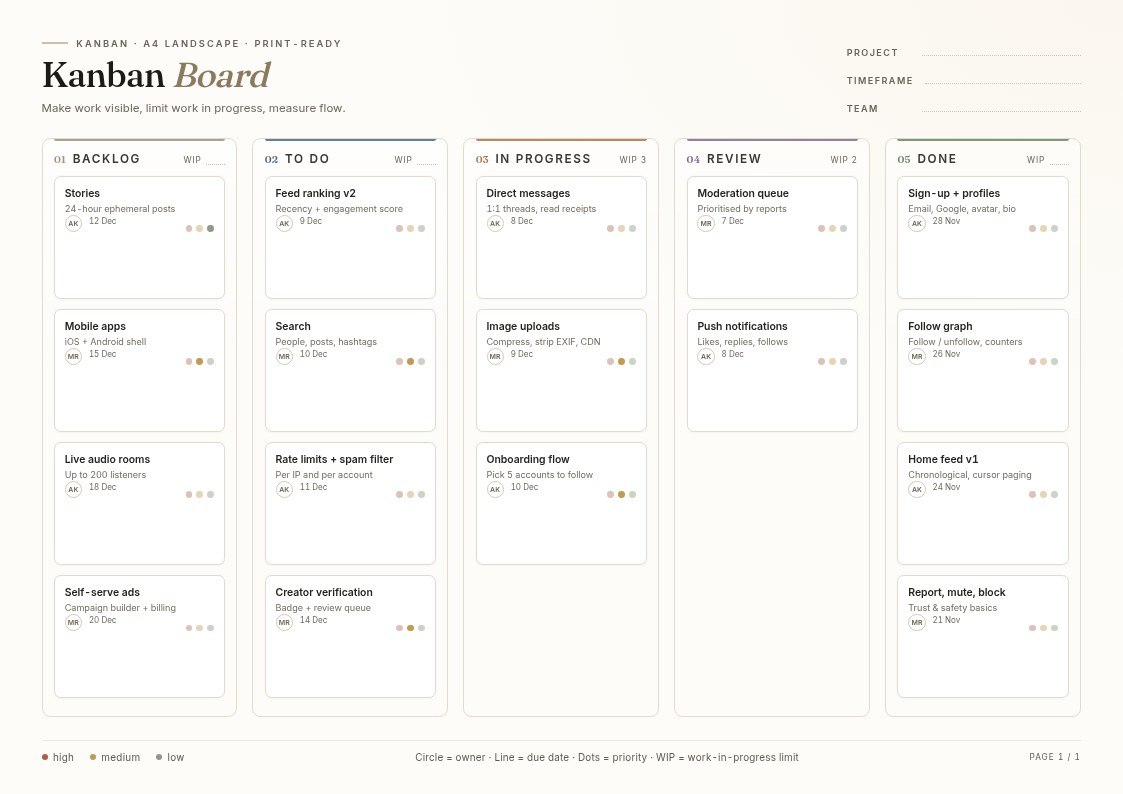
Free printable Kanban board (PDF)
An A4 landscape template with five columns and WIP limits, ready to print. Use the blank version for your own project, or look at the filled example first.